











AI That Executes with Care.
As AI reshapes every industry, Vali takes a different approach - intelligent execution with built-in human oversight, designed specifically for the realities of home care.


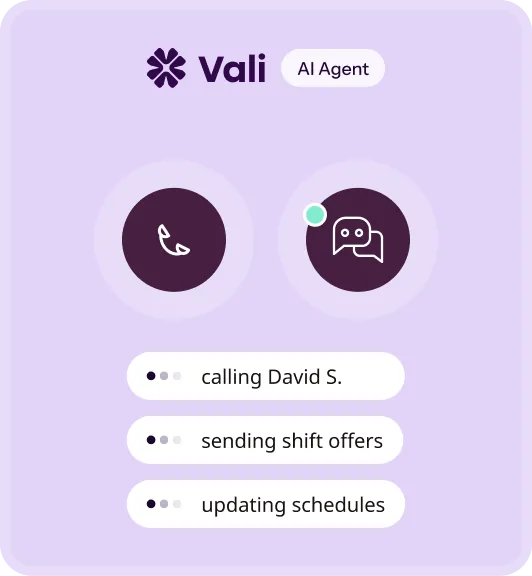


Execution, Not Just Suggestions
Many AI tools offer suggestions.
Vali acts on them, coordinating outreach, managing responses, and staffing open shifts with the right caregivers at the right time.

Human Oversight Built In
Every action Vali takes is shaped by intentional human oversight from people who understand home care operations. Decisions reflect real-world nuance, not just algorithms.

Designed for Care Complexity
Vali connects to your EHR like WellSky or CareSmartz360, works in your current workflow, and eliminates double entry. Up and running in hours, no rip and replace.

Built to Amplify your Team
Vali handles the follow-through so your team can focus on what humans do best — building relationships and delivering intentional care.
Designed for Today’s Care Reality.
Home care moves fast. Vali helps you stay ahead, without losing the care in every decision.
Scheduling Coordination


Scheduling Coordination


Shift Confirmation & Finalization

Shift Confirmation & Finalization


Stronger Teams. Smarter Operations.
Vali turns your biggest operational challenges — unfilled shifts, scheduler burnout, caregiver churn — into competitive advantages.



More time for the Work that Matters.
Agencies using Vali see measurable improvements in coverage reliability and operational efficiency.


80%
Reduction in open shifts

2 Weeks
Time to measurable operational impact
24/7
Coverage monitoring support
182
Offers sent

157
Accepted

153
Confirmed

Built to Help You Win.
The business results your agency needs — without sacrificing the caregiver
and client relationships that make it work.

Protect Your Revenue
Fill shifts before they cost you.

Reduce Operating Costs
Do more with the team you have.

Retain Your Caregivers
Keep the people your clients count on.
Reduce Scheduler Burnout
Give your team back their nights and weekends.


HIPAA Compliance
Protecting client and caregiver information.

Monitored Security Controls
Continuous oversight ensures safe system behavior.

Role-Based Permissions
Access limited to authorized
users.
Audit Transparency
Full audit trail of every Vali action, ready for compliance and billing.
Secure Integrations
Protected data exchange with your existing scheduling systems.

Insights for Modern Home Care Operators.
Guidance for building reliable, resilient operations in an AI-driven world.

How to Fill Open Caregiver Shifts Faster at a Home Care Agency
How to Fill Open Caregiver Shifts Faster at a Home Care Agency
How home care agencies cut hours off their average fill time by replacing sequential phone calls with tiered text broadcasts, targeted short-notice pay differentials, and a written 30-minute fill protocol.

Updated July 2026
TL;DR: The fastest agencies treat open shifts as a response-time problem. Replace one-at-a-time phone calls with tiered text broadcasts (best-fit caregivers first, 10-minute windows), keep availability data fresh enough to trust, and pay a short-notice differential instead of begging. Most agencies can cut hours off their average fill time without hiring a single new caregiver.
An open shift is a scheduled client visit that has no caregiver assigned to it — whether because a caregiver called out, a new client started before staffing was arranged, or a resignation left a recurring visit uncovered.
Every agency has them. The median home care agency turned over 75% of its professional caregivers in 2024 — the lowest rate in five years, and still three out of four (source). The Bureau of Labor Statistics projects roughly 766,000 openings for home health and personal care aides every year this decade (source). You are not going to hire your way out of open shifts. The agencies that fill fastest have accepted that and moved their attention to the thing they control: what happens in the first 30 minutes after a shift opens.
Most agencies over-rotate on recruiting and under-rotate on response time. A caregiver pipeline takes months to build. Your fill process can change by Thursday.
Why do open shifts sit unfilled for hours?
Watch what actually happens when a call-out lands. It's 5:45 a.m. A caregiver texts that her car won't start. The shift starts at 8:00. The scheduler — who may still be asleep, or on her third call-out of the morning — has to figure out who else is qualified, who's nearby, who isn't already booked, and who won't tip into overtime. Then she starts calling.
That last step is where the time goes. Not deciding. Dialing.
In the 456 analyzed after-hours calls at Vali, call-outs and schedule changes were a constant, recurring reason caregivers picked up the phone at odd hours. The call-out itself takes ninety seconds. The scramble it triggers can eat the whole morning. And the stakes aren't abstract: in one industry survey, 89% of home care providers said workforce shortages had forced them to turn away care (source).
What does the phone-tree math actually look like?
Do the arithmetic on sequential calling, because almost nobody does.
One outbound call — dial, ring, voicemail or a short conversation, log the outcome — takes about three minutes. A list of 20 candidate caregivers is an hour of scheduler time. And the answer distribution is brutal: most calls at 6 a.m. go to voicemail, most callbacks come after you've already moved on, and the caregiver who would have said yes was number 14 on the list.
Sequential calling also forces a bad choice at every step: wait for caregiver #3 to call back, or move to #4 and risk double-booking if both say yes? Schedulers split the difference, wait a few minutes each time, and the 8:00 shift becomes a 9:30 arrival with an apologetic call to the client.
A text broadcast inverts the math. Twenty caregivers reached in under a minute, and the first qualified yes takes the shift. The failure mode moves from "too slow" to "too blunt" — which is a much better problem, because sequencing fixes it.
How should you sequence a shift broadcast?
Blasting all 60 eligible caregivers at once creates its own damage. The wrong person accepts (overtime, no rapport with the client, 40 minutes away). Caregivers learn that broadcasts are spam and stop reading them. And you've spent your one clean shot at the roster.
Tiering fixes both problems. Send to the best-fit group first, give them a short exclusive window, then widen.
| Tier | Who gets it | Wait before widening | Why this order |
|---|---|---|---|
| 1 | Worked with this client before, under their weekly hours target, within a reasonable drive | 10 minutes | Continuity of care; highest accept odds; no overtime risk |
| 2 | Qualified for the care plan, actively wants more hours, no schedule conflict | 10–15 minutes | Fills most of what Tier 1 misses, still a good match |
| 3 | All eligible caregivers, including those near their hours cap | Until filled | Coverage beats a perfect match once the visit is at risk |
| Escalate | On-call supervisor decides; call the client with options | Immediately after Tier 3 stalls | A late honest call beats a no-show every time |
Two rules make tiering work. First, the windows have to be short — ten minutes, not an hour. The whole point is speed; tiering is how you get precision without giving speed back. Second, every message needs the details a caregiver actually decides on. Client's town, shift time, duration, rate, and care needs. "Shift available tomorrow, text back for details" trains people to ignore you.
Track two numbers weekly: time-to-first-contact (shift opens → first caregiver notified) and time-to-fill (shift opens → confirmed acceptance). If time-to-first-contact is over five minutes during business hours, your bottleneck is process, not roster.
Which pay levers fill shifts without wrecking margins?
Pay is the lever agencies reach for last, usually in panic form — "I'll give you an extra $50 if you can just get there." Panic bonuses work once and then become an expectation with no rules attached. Structure beats improvisation:
- A published short-notice differential. A flat dollar amount, +$2 to $3 an hour, for shifts accepted with less than 24 hours' notice. Caregivers know it exists before you need them, so the broadcast itself carries the incentive.
- Weekend and hard-window differentials for the slots that go unfilled week after week. Your fill data will tell you exactly which windows those are — price the problem, not the whole schedule.
- Per-shift bonuses over base-rate raises for coverage problems. A base raise costs you on every hour, including the 90% of hours that were never hard to fill. A differential costs you only where the problem lives.
One honest caveat: differentials fill shifts, they don't retain caregivers. If your open-shift volume is driven by people quitting, the money is better spent upstream. In the Activated Insights benchmarking data, the revenue gap between agencies that train properly and those that don't runs to nearly $350,000 a year (source). Fill speed and retention are different problems. Fund both.
How does schedule density change fill speed?
A caregiver looking at your open shift is doing her own math: drive time, gap time, gas. A two-hour visit that's 35 minutes from her previous client, with a 90-minute dead gap before it, pays worse than it looks — and she knows it.
Dense schedules get accepted faster. Practical moves:
- Cluster clients geographically when you assign recurring visits, so each caregiver's day sits in one part of town. Open shifts then broadcast to people already nearby.
- Fight the two-hour-visit sprawl. Where care plans allow, consolidate short visits into fewer, longer ones. A caregiver will drive for a four-hour shift; she'll skip a ninety-minute one.
- Offer the adjacent shift. When a caregiver accepts Tuesday 9–1 with the client, ask about Thursday 9–1 too. Recurring assignment beats re-broadcasting the same shift 52 times a year.
Density is also why stale availability data quietly poisons fill speed. If a third of your "available" caregivers changed their real availability months ago, every broadcast wastes its Tier 1 window on people who will never reply. Re-confirm availability on a schedule — monthly is enough — and log every decline reason. Ten "that's too far" declines from the same caregiver is an availability update she never told you about.
What should a 30-minute fill protocol include?
Write the protocol down. The worst version of your fill process is the one that gets invented at 5:45 a.m. by whoever answered the phone.
- ☐ Call-out captured with shift details, reason, and whether the caregiver can cover a later visit instead
- ☐ Client-risk check — is this a high-acuity visit that cannot be missed? If so, escalate now, in parallel with the broadcast
- ☐ Tier 1 broadcast out within 5 minutes, with full shift details and the short-notice differential stated
- ☐ 10-minute timer set; Tier 2 goes out on the timer, not on a feeling
- ☐ Tier 3 after the second timer; overtime approval rules pre-decided, not negotiated per shift
- ☐ Client called with an honest status before the shift start time, not after it
- ☐ Outcome logged — who filled it, from which tier, how long it took, what it cost
- ☐ Weekly review of time-to-first-contact and time-to-fill, plus decline reasons harvested into availability updates
Agencies that run something like this consistently find the same thing: the roster was never the constraint. The half-hour of dialing was.
How Vali handles this
Vali is the AI workforce for home care agencies — with built-in human oversight. On open shifts, it does the part of the protocol above that eats scheduler time: when a shift opens, it finds qualified, available caregivers and contacts them by text and phone — immediately, in sequence, with the shift details that drive a decision — and brings a confirmed acceptance back to the scheduler. A human stays in the loop; nothing about a client's care gets decided without oversight.
The number agencies report back is 80% fewer open shifts — vendor-reported, so weigh it accordingly, but it is what the phone-tree math predicts when first contact drops from an hour of dialing to under a minute.
It works inside the scheduling system agencies already run rather than replacing it. If the 30-minute protocol above looks right but you don't have the staff hours to run it on every open shift, that's the gap Vali was built for. Put your own roster through it: vali.health/book-a-demo.
How to Stop Losing Revenue From Unstaffed Home Care Shifts
How to Stop Losing Revenue From Unstaffed Home Care Shifts
The billing lost on an unstaffed home care shift is the smallest cost — client churn, referral erosion, and overtime patches dominate, so agencies measure revenue at risk per shift, triage fills by client risk, and review the leak weekly.
Updated July 2026
TL;DR: The billing you lose on an unstaffed shift is the smallest part of the damage. The real losses are downstream — clients who cancel service after a missed visit, referral sources that quietly stop sending you cases, and overtime paid to patch the hole. Measure revenue at risk per open shift, triage fills by client risk instead of chronology, and review the leak weekly like the P&L line it is.
Run the numbers on one missed visit before reading anything else. A four-hour shift billed at $34 an hour is $136 of vanished revenue — painful, countable, and the least of your problems. One home care software vendor's analysis of no-call no-shows (the ugliest species of unstaffed shift) puts the average cost of a single incident at $1,643 once downstream effects are counted, and estimates the typical agency loses the equivalent of 7% of annual revenue to them (source). That same analysis found roughly 1% of scheduled shifts end in a no-call no-show, and, the number worth pinning to the wall, an 18% probability that a no-call no-show leads to a client cancellation (source).
Sit with that 18% for a second. A client on 20 hours a week at $34 an hour is roughly $35,000 a year in revenue. If one in five or six missed visits ends that relationship, the expected cost of a single missed visit at that client is measured in thousands, against the $136 on the invoice. You would never leave $136 on the table on purpose. Agencies leave the thousands on the table every week because nobody wrote the number down.
(A definition, since the term gets used loosely: an unstaffed shift is a scheduled, billable client visit that reaches its start time with no caregiver confirmed to deliver it. Some get covered late. Some get missed outright. Both cost more than the invoice you didn't send.)
Most agency owners can quote their fill rate. Almost none can quote what last month's unfilled shifts cost them, because the cost hides in other line items: a client who "decided to try another agency," a hospital discharge planner who stopped calling, an overtime number that crept up again. The fix starts with making that cost visible, then attacking it with operations rather than wishful hiring.
Why is the billing loss the smallest part?
Because home care is a trust product bought during a crisis. The daughter who arranged care for her mother did it after a fall, a diagnosis, or a terrifying weekend. The service she is buying is someone reliably shows up. Miss a visit and the four hours of billing are a footnote; what took the hit is the reason she hired you.
The damage moves through three channels, in ascending order of stealth. Client churn is the visible one, quantified above — with the nasty property that churn from missed visits clusters at exactly the wrong clients, the high-hour, high-acuity cases where a missed visit is frightening rather than inconvenient. Your biggest accounts carry the most miss-risk.
Referral erosion is quieter. Discharge planners and social workers refer to agencies that don't embarrass them, and nobody sends a formal notice that you've been moved down the list; the referrals just thin out. In a market where 89% of providers already report turning away care for lack of staff (source), the agencies that can demonstrate reliability win referral share from everyone who can't.
Quietest of all: patch costs. The shifts you do save often get saved expensively — an overtime caregiver, a supervisor doing a field visit, a $75 panic bonus invented on the phone. Saved shifts still leak margin when the save is improvised.
How do you measure revenue at risk?
You don't need a data team. You need one spreadsheet and honesty. For each unstaffed shift, estimate four components. The numbers below are worked examples with illustrative figures — plug in your own rates.
| Cost component | How to estimate it | Example (4-hr shift, $34/hr bill, 20-hr/wk client) |
|---|---|---|
| Direct lost billing | Hours × bill rate, if the visit is missed | $136 |
| Patch premium | Overtime or bonus paid above normal cost, if covered | $30–$75 |
| Expected churn cost | Miss probability of ending the relationship × client annual value | 18% × $35,000 ≈ $6,300 for a full no-show at this client |
| Scheduler time | Hours spent scrambling × loaded hourly cost | 2 hrs × $30 ≈ $60 |
The churn line dominates, and it scales with client value — which is exactly why triage matters (next section). Two habits make this table useful rather than decorative:
- Total it monthly. One number: "unstaffed shifts cost us approximately $X in April." Owners who see that number start staffing the fill process like it's a revenue function. It is.
- Segment it by cause. Call-outs, unfilled new-client starts, resignations, scheduling errors. The fix for each is different, and most agencies discover one cause is half the total.
Then put the total in front of someone every week. Twenty minutes, same time, owner or administrator in the room:
- ☐ Count of unstaffed shifts, split into covered-late vs. missed outright
- ☐ Estimated revenue at risk, using the four-component table, totaled for the week
- ☐ Cause breakdown — call-outs, new-start gaps, resignations, errors
- ☐ Time-to-first-contact and time-to-fill, trending against last month
- ☐ Every missed visit reviewed by name — which client, what happened, who called them, how the client reacted
- ☐ Relationship-risk register updated — clients within 30 days of start or with a recent miss flagged for priority triage
- ☐ One process change decided per week; small, but decided, with an owner
The review's real function is cultural. Once "what did open shifts cost us this week" is a standing question with a number attached, the fill process stops being an interruption schedulers absorb and starts being an operation the agency runs.
Which shifts should you fight hardest to fill?
Chronology is the default triage — whichever shift opens next gets the scramble. It's the wrong default. A missed visit at a stable, forgiving, low-hour client costs you an apology. A missed visit at a new client in their second week, or a high-acuity client whose family is already anxious, can cost you the account.
Rank open shifts on two axes and work the top-right corner first:
- Care risk. Can the client be safely alone? Medication windows, transfer assistance, dementia. High care risk means escalation runs in parallel with the fill attempt, not after it fails.
- Relationship risk. New clients in the first 30 days, clients with a prior missed visit, clients tied to an active referral source, high-hour accounts. These are the relationships where one more failure changes behavior.
This sounds obvious written down. At 5:45 a.m. with three call-outs on the board, nothing is obvious — which is why the ranking has to exist before the morning it's needed, as a written rule the on-call person applies rather than a judgment they invent.
Which operational levers stop the leak?
Hiring more caregivers is the answer everyone reaches for, and with the median agency turning over 75% of caregivers a year (source), it's a treadmill more than a lever. The operational levers pay back faster:
- Cut time-to-first-contact — the single biggest one. Every minute between "shift opens" and "first qualified caregiver notified" shrinks your pool of savable shifts. Agencies still working phone trees (three minutes a call, twenty calls) are spending their save window on dialing. Move to tiered text broadcasts with short windows.
- Confirm shifts before they break. A confirmation text the evening before surfaces the brewing call-out at 7 p.m., when you have twelve hours to cover it, instead of 5:45 a.m., when you have two. This is the cheapest miss-prevention that exists.
- Build standing backup capacity. A small group of caregivers explicitly paid a premium to hold open availability windows — a float pool, even two people deep — converts your worst shifts from broadcasts into assignments. Price it against the churn table above; it's cheaper than it looks.
- Densify schedules. Caregivers accept nearby, well-clustered shifts and decline sprawl. Geographic clustering raises broadcast accept rates on every future open shift. It's a fill-speed investment disguised as routing hygiene.
- Aim differentials at the pattern. Your unstaffed shifts are not evenly distributed — they pile into weekend mornings, evening slots, one awkward corner of your territory. A targeted differential on the recurring problem windows costs a fraction of a base-rate raise and attacks the actual leak.
Automating the save window
Vali is the AI workforce for home care agencies — with built-in human oversight — and unstaffed shifts are the core of what it does. When a shift opens, it immediately finds and contacts qualified caregivers by text and call, works through the roster the way the triage above prescribes, and returns a confirmed acceptance — with a human overseeing every workflow, because a missed visit and a bad automated decision damage the same trust. It covers the after-hours phone too, which is where call-outs actually land — our after-hours call log skews heavily toward exactly the schedule-breaking events this article is about.
Agencies using Vali report 80% fewer open shifts. That is a vendor-reported figure — "agencies report" is the honest framing — but set it against the arithmetic above: if missed visits carry four-figure expected costs and the save window is measured in minutes, a system whose whole job is responding inside that window doesn't need optimistic math to pay for itself.
Vali works inside your existing scheduling system, so the schedule stays where it already lives. If your weekly review keeps surfacing the same finding — the shifts were savable, the hours to save them weren't there — that's the case for looking at it: vali.health/book-a-demo.
How to Reduce Scheduler Burnout in a Home Care Agency
How to Reduce Scheduler Burnout in a Home Care Agency
Scheduler burnout in home care is a system-design failure fixed with a real on-call rotation, written escalation rules, evening shift confirmations, and a measured cap on after-hours load — not by hoping one person absorbs it.
Updated July 2026
TL;DR: Scheduler burnout is a system design problem. The job breaks people through the after-hours phone, improvised decision-making, and a call-out volume the agency treats as weather instead of workload. Fix the system: a real on-call rotation with recovery time, written escalation rules that end 9 p.m. improvisation, evening shift confirmations that surface call-outs early, and a measured cap on what one person absorbs.
Scheduler burnout is the progressive exhaustion, detachment, and eventual resignation of the coordinator who owns the schedule — produced less by the daytime job than by carrying an unbounded, always-on responsibility for everything that breaks outside of it.
Ask an owner who their most irreplaceable employee is and the honest ones name the scheduler. Then look at how the role is designed: on call four nights a week, no written rules for half the decisions she makes, performance measured by an absence (nothing blew up today), and a phone that goes off at 11 p.m. because tomorrow's 6 a.m. caregiver just spiked a fever. The surprise isn't that schedulers burn out. The surprise is how long they last first.
Agencies treat scheduler burnout as a personality trait — she's tough, she can handle it — right up until the resignation letter. It's an engineering failure, and it has engineering fixes.
Why does home care burn out schedulers faster than other jobs?
Three structural features, stacked.
The volume is relentless. The median home care agency turned over 75% of its caregivers in 2024 (source). Every departure dumps a recurring schedule back on the scheduler's desk. Early attrition makes it worse: up to 40% of new hires walk out within their first 100 days (source), at about $2,600 per replacement in recruiting and training alone (source). The scheduler rebuilds the same Tuesday-morning visit five times a year and gets credit for none of them.
The clock never stops. Clients need care at 6 a.m. and 10 p.m., so the schedule breaks at 6 a.m. and 10 p.m. In many agencies "on call" means the scheduler's personal cell, every night, unpaid or nearly so.
The failures are emotional. When a shift breaks, the scheduler isn't rebalancing a spreadsheet — she's telling an anxious daughter that nobody is coming to get her mother out of bed. Schedulers absorb that conversation. Repeatedly. Alone.
What does the after-hours phone actually do to a scheduler?
We drew on 456 analyzed after-hours calls at Vali while building our own after-hours coverage. What struck us wasn't exotic emergencies — it was repetition. The same handful of situations, over and over: call-outs, running-late notifications, schedule questions, shift confirmations, the occasional genuine emergency buried among them. The after-hours phone is mostly routine traffic that happens to arrive at ruinous hours.
Now price one routine event. A 6:10 a.m. call-out against an 8:30 shift means: pull up the schedule, work out who's qualified and unbooked, start dialing. At roughly three minutes per attempted call, a 15-name list is 45 minutes of dialing — before the callback juggling, before the client call, before updating the system. One ninety-second call-out consumed her morning, and she still has a full day shift ahead. Three call-outs in a week is an extra unpaid workday, in fragments, at the worst hours.
That's the mechanism. Burnout isn't one catastrophic night. It's the compounding of unbounded, uncounted fragments.
Count them. That's the first intervention: log every after-hours event — time, type, minutes spent. The log converts "she seems tired" into a workload number you can design against.
How should you design an on-call rotation that people survive?
The most common on-call design in small agencies is no design: the scheduler (or the owner) carries the phone forever. Here are the real options and their tradeoffs.
| Model | Cost | Response quality | Burnout load | Where it fits |
|---|---|---|---|---|
| Owner or one scheduler carries it always | "Free" | Good, until the person degrades | Maximum — this is the burnout machine | Nowhere long-term; a startup phase to exit |
| Rotating on-call among office staff | On-call stipend | Good, if handoffs are clean | Shared and survivable | Any agency with 2+ office staff |
| Dedicated after-hours coordinator | A part-time to full salary | Strong | Concentrated but hired for it | Larger agencies with steady night volume |
| Answering service | Modest monthly fee | Weak — messages relayed, not problems solved; the call-out still lands on your scheduler at 6 a.m. | Deferred, not reduced | Overflow and screening only |
| AI coverage with human escalation | Software cost | Strong on routine traffic; humans get only true escalations | Lowest for staff | Agencies whose logs show mostly routine after-hours traffic |
If you run a rotation — the right answer for most agencies — four rules keep it survivable:
- Pay for the pager, not just the calls. A night of interruptible sleep costs something even when the phone stays quiet; a flat stipend acknowledges it.
- Cap consecutive nights at two. Recovery is a scheduling constraint, the same as anyone's availability.
- Make handoffs written. Five lines at rotation change — open situations, fragile clients, pending callbacks. Unwritten handoffs mean the off-duty person still gets called.
- Give the on-call person real authority. If she has to wake the owner to approve overtime, the owner is still on call and the rotation is theater.
Which written rules end the 9 p.m. improvisation?
A large share of on-call stress comes from making policy alone, at night, with no cover. Can I authorize overtime? When do I call the family? Is this fall a 911 call or a morning note? When every answer is a judgment call, every call carries the weight of a possible mistake.
Write the answers down. One page, laminated if you like the theater of it:
- Overtime authority — on-call may approve up to N hours of overtime per night to cover a shift, no permission needed; log it for morning review.
- Differential authority — the short-notice bonus is $X, published, offerable without asking anyone.
- Escalation triggers — the specific situations that wake the owner or nurse supervisor (hospitalization, a missed high-acuity visit still uncovered at T-minus-1 hour, suspected abuse or neglect, a family threatening to end service). Everything else waits for morning.
- Client communication rule — by when, and in what words, the client hears about a coverage problem. An honest 7:15 call beats a hopeful silence broken at 8:05.
- The tolerable-failure clause — name the conditions under which a low-risk visit may be missed after the protocol runs out. The sheet should say, in writing, that a properly-run protocol that still fails is the agency's outcome, not the scheduler's.
The rule sheet does two jobs. It speeds up decisions, and — the underrated half — it transfers moral weight from the person to the policy.
Which upstream fixes shrink the load itself?
Everything above manages the after-hours load. These reduce it.
Confirm tomorrow's shifts the evening before. A confirmation text at 6 p.m. surfaces the brewing call-out twelve hours early, converting a 5:45 a.m. scramble into a calm evening fill. Of every practice in this article, this one has the highest ratio of effect to effort.
Replace phone trees with tiered broadcasts. If a call-out does land at 5:45, the difference between 45 minutes of dialing and one broadcast with a ten-minute response window is the difference between losing the morning and losing five minutes.
Densify and stabilize the schedule. Geographically clustered, recurring assignments break less often — caregivers keep shifts that fit their lives — and refill faster when they do break. Schedule quality is scheduler workload, one week delayed.
Invest in the first 100 days. That 40%-early-walkout number is schedule churn wearing an HR costume. The agencies that invest real hours in onboarding and ongoing training out-earn the ones that don't by nearly $350,000 a year in the Activated Insights benchmarking data (source) — and revenue like that isn't produced by a schedule that keeps collapsing.
What does a scheduler-burnout audit look like?
Run this quarterly. Thirty minutes with the schedule and the phone log:
- ☐ After-hours events logged for at least two weeks — count, type, minutes each
- ☐ Total after-hours minutes per scheduler per week computed and written down
- ☐ On-call rotation documented — who, which nights, paid how, capped at how many consecutive nights
- ☐ Escalation rule sheet exists, is current, and the on-call person can quote its overtime limit from memory
- ☐ Handoff log actually in use at rotation changes
- ☐ Evening shift-confirmation process running, with its catch rate (call-outs surfaced before 9 p.m. vs. after) tracked
- ☐ Time-to-fill on broken shifts trending, so scrambles are measured rather than remembered
- ☐ The scheduler asked directly, in private, with the manager's pen down: which night this month was the worst, and what would have made it survivable?
If the audit finds no log, no rotation, no rule sheet, and a scheduler who says "it's fine" — that's not a passing grade. That's the profile of your next hardest resignation.
Taking the night phone off the scheduler
Vali is the AI workforce for home care agencies — with built-in human oversight — and the scheduler's after-hours load is precisely what it was built against. It answers the after-hours phone, handles the routine majority (call-outs, confirmations, schedule questions) end to end, and runs the fill process on broken shifts by contacting qualified caregivers by text and call. Humans stay in the loop by design: our Health Assistants review the workflows, and true emergencies escalate to people. In production, the large majority of after-hours calls are handled end-to-end under that oversight model, with human oversight on the rest — which in practice means the on-call phone rings for the situations that genuinely need a human and stays silent otherwise.
Agencies using Vali report roughly 20 hours a week of coordination time returned — a vendor-reported number; the audit above will tell you how much of it is yours to reclaim. The honest pitch is narrower anyway: if your audit shows an after-hours load that is high-volume, routine, and concentrated on one exhausted person, that load is exactly the shape of work an AI workforce with human oversight absorbs well.
It runs inside the scheduling system your agency already uses, so that system doesn't change. Your scheduler's sleep does. See it against your own log at vali.health/book-a-demo.

How to Cut Caregiver No-Shows and Last-Minute Cancellations
How to Cut Caregiver No-Shows and Last-Minute Cancellations
Most caregiver no-shows trace to unconfirmed shifts, unworkable schedules, and hard-to-report life events — fix all three, then run the first 30 minutes after a call-out as a rehearsed drill to keep clients covered.
Updated July 2026
TL;DR: Most no-shows trace back to three causes: shifts the caregiver never confirmed, schedules that were unworkable from the start, and life events with no easy way to report them. Fix confirmation, fix the schedule build, and make calling out easier than disappearing. Then treat the first 30 minutes after a call-out as a drill, not a scramble. Agencies that do all four see call-outs stop turning into missed visits.
A caregiver no-show is a scheduled shift the assigned caregiver misses without telling anyone; a last-minute cancellation is a call-out close enough to shift start that the agency can't staff a replacement through its normal process. Both end the same way for the client — nobody at the door — which is why this article treats them as one problem with one playbook.
This is written for the person who actually eats these events: the scheduler at a 40-caregiver agency who finds out at 7:42 a.m. that the 8:00 a.m. shift is uncovered.
What does a no-show actually cost a home care agency?
More than the lost visit. A CareSmartz360 analysis of no-call no-shows in home care puts the average cost of a single incident at $1,643 once you count the scramble, the make-good, and the churn risk — and estimates roughly 1% of scheduled shifts end in a no-call no-show, with an 18% chance that any given incident leads to the client cancelling service entirely (source).
Run that against your own volume. An agency delivering 1,000 shifts a week at a 1% no-show rate is absorbing ten incidents weekly. Ten chances a week for a family to start interviewing your competitor.
| Cost category | What it looks like | When it hits |
|---|---|---|
| Direct scramble | Scheduler hours, overtime or bonus pay for the replacement | Same day |
| Client trust | Family finds out care is unreliable at the worst moment | Same week |
| Client churn | ~18% of no-call no-shows end in cancellation (CareSmartz360 analysis, link above) | Within 30–90 days |
| Caregiver churn | Reliable caregivers absorb the emergency shifts until they burn out | Within a quarter |
| Referral damage | Case managers stop sending you clients they'd have to apologize for | Slow, then sudden |
The last row is the one owners underweight. A hospital discharge planner doesn't file a complaint when your agency misses a visit. She just quietly reroutes the next referral.
Why do caregivers no-show or cancel late?
Three root causes cover almost everything, and each demands a different fix. Punishing all three the same way — the write-up, the points system — treats a scheduling failure like a character flaw, and it backfires: caregivers who fear the penalty stop calling out and start disappearing.
1. The shift was never really confirmed. The caregiver was added to the schedule Tuesday, nobody verified she saw it, and Saturday morning she genuinely doesn't know she's on. This is an information failure. It's also the cheapest one to fix.
2. The schedule was unworkable from the start. A 7 a.m. shift across town from her 11 p.m. shift the night before. Forty-five minutes of unpaid drive time between clients. Hours that swing from 12 one week to 38 the next. Caregivers cite inconsistent, last-minute scheduling as a core reason they quit (source), and the call-out is usually the early symptom. If the same caregiver cancels the same shift twice, the shift is the problem.
3. Life happened and reporting it was hard. Sick kid, dead car, an ER visit. These will never go to zero. What you control is whether the caregiver reaches a human (or something that acts like one) in 30 seconds at 5:50 a.m., or gets voicemail — because voicemail is how a call-out becomes a no-call no-show.
What should your first 30 minutes after a call-out look like?
Decide the sequence before you need it. Agencies that improvise this step lose 20 minutes to "who should we try first?" every single time.
A working protocol looks like this:
- Minute 0–2: Log and triage. Which client, what care needs, is this a can't-miss visit (medication, transfer assistance, client lives alone) or a reschedulable one? Not all visits are equal. Say so in your triage.
- Minute 2–10: Blast the qualified shortlist, in parallel. Not one phone call at a time down a paper list — simultaneous texts to every caregiver who is qualified, geographically sane, and under overtime threshold. Serial phone calls are why replacements take two hours.
- Minute 10–20: Escalate to your second ring. Per-diem pool, office staff with active certifications, the neighboring team's roster.
- Minute 20–30: Tell the client — before they discover it. "Maria is out sick; James will be there at 8:30" is a service story. Silence until 8:15 is a cancellation story.
The parallel-contact step is where most agencies leave the biggest gains. One scheduler dialing eleven caregivers one by one is doing linear search on an exponential problem.
How do you prevent no-shows before they happen?
Prevention is unglamorous and it works.
Confirm every shift, twice. Once at assignment ("reply YES"), once 24 hours out. A shift without a confirmation on file is an at-risk shift, and your scheduler should see it flagged that way. This single habit eliminates most of root cause #1.
Audit the schedule for built-in failures. Every week, look for the patterns that predict call-outs: back-to-back shifts with impossible commutes, caregivers repeatedly assigned to clients they've asked not to serve, hour totals that whipsaw week to week. You are hunting for the shifts that are already broken — they just haven't broken yet.
Make calling out easy and early. The caregiver who can text a call-out at 9 p.m. and get an acknowledgment gives you eleven hours to solve the problem. The one who has to phone a manager she's scared of gives you eighteen minutes. Reward early notice publicly. Reserve discipline for the true no-call no-show.
Track reliability per caregiver, and act on both tails. Your most reliable caregivers should get first pick of desirable shifts — reliability that earns nothing decays. Your least reliable deserve a conversation about which root cause is driving it before any write-up.
Which metrics tell you if it's working?
Four numbers, reviewed weekly. Resist the dashboard with nineteen.
- No-call no-show rate (incidents ÷ scheduled shifts). Benchmark yourself against the ~1% figure above; your target is your own baseline, falling.
- Call-out lead time. Median hours between the call-out and shift start. Prevention work moves this number up.
- Fill rate on called-out shifts. Of shifts that lost their caregiver, how many still got staffed? This measures your 30-minute drill.
- Client-notified-before-start rate. The trust metric. Should be 100%. Usually isn't.
No-show reduction checklist
- ☐ Every shift has a logged confirmation at assignment and at T-24 hours
- ☐ Unconfirmed shifts are visibly flagged on the scheduler's board
- ☐ A written call-out protocol exists with named escalation rings
- ☐ Replacement outreach goes to qualified caregivers in parallel, not serially
- ☐ Call-outs can be reported by text, around the clock, with instant acknowledgment
- ☐ Weekly schedule audit for impossible commutes and hour whipsaw
- ☐ Reliability is tracked per caregiver and rewarded, not just punished
- ☐ Clients are always told about a change before the shift starts
- ☐ The four metrics above are reviewed at a standing weekly meeting
Where does Vali fit in?
Everything above works with a whiteboard and a phone tree. It works faster with software that never sleeps. Vali is the AI workforce for home care agencies — with built-in human oversight. When a call-out lands, Vali finds and contacts qualified caregivers by text and call in parallel, inside the agency's existing system (no rip-and-replace), with Health Assistants reviewing the workflow. Agencies report 80% fewer open shifts — a vendor-reported number, but the mechanism is the drill above, run without the twenty minutes of "who should we try first?" If the 7:42 a.m. scramble is a familiar feeling, book a demo and watch what the same call-out looks like with the drill automated.
How to Cover After-Hours Scheduling Without Overnight Staff
How to Cover After-Hours Scheduling Without Overnight Staff
Home care agencies can cover nights and weekends without an overnight scheduler through four options — on-call rotation, answering service, outsourced call center, or AI coverage with human escalation — judged on whether each can actually staff a shift at 2 a.m., not just log an empty one.
Updated July 2026
TL;DR: You have four realistic options for nights and weekends: an on-call rotation of your own staff, an answering service, an outsourced call center, or AI-handled coverage with human escalation. The first burns out your schedulers, the second takes messages instead of solving problems, the third is expensive and doesn't know your roster. The deciding question for any option: at 2 a.m., can it actually staff a shift, or only write down that one is empty?
Start with the comparison; the whole argument falls out of it. Costs are directional — your market will move them.
| Model | Typical cost | Response speed | Can it staff a shift? | Hidden tax |
|---|---|---|---|---|
| On-call rotation (your schedulers) | On-call stipends + comp time | Minutes, if they wake up | Yes — slowly, by phone tree | Burnout, resentment, turnover in the office |
| Answering service | Per-call or monthly fee | Fast to answer, then stops | No — takes a message | You've paid to move the voicemail earlier |
| Outsourced call center | Higher monthly retainer | Fast | Rarely — no roster access, no authority | Scripted answers that frustrate families |
| AI coverage + human escalation | Software subscription | Seconds, every time | Yes — contacts qualified caregivers directly | Requires integration with your scheduling system |
The first three models share a failure: they separate answering from acting. The answering service can't see who's qualified and nearby. The call center can't authorize an assignment. Only your on-call scheduler can actually fix the problem — which is exactly why the rotation model persists despite what it does to the people in it.
What counts as after-hours coverage, exactly?
After-hours scheduling coverage is whatever stands between your agency and an uncovered 6 a.m. shift during the two-thirds of the week when the office is closed. That framing matters: your office runs roughly 45 hours a week, but care — and everything that goes wrong with it — runs all 168. Home care is one of the few businesses where the office closes but the product keeps shipping all night. Restaurants lock up. Care doesn't.
What actually happens after your office closes?
Our answer comes from 456 analyzed after-hours calls from home care agencies on our platform (our own operational data, not an industry survey). The pattern that emerges is the one every owner already suspects: after-hours calls are rarely social. Nobody phones an agency at 11 p.m. to say things are going well. The calls that come in are the ones that can't wait — a caregiver calling out of tomorrow's early shift, a family member confused about whether anyone is coming, a caregiver stuck at a lockout, a client's needs changing tonight.
Two properties make these calls dangerous to handle badly. They're urgent — a call-out reported at 10 p.m. and acted on at 8 a.m. is a call-out you found out about too late to fix. And they're consequential — the family calling at night is often deciding, in that moment, whether your agency is dependable. A voicemail box answers that question for them.
What does on-call duty do to your schedulers?
Ask one. The on-call phone is the least-loved object in any agency office, handed around like jury duty.
The damage is specific. A scheduler who fielded three calls between midnight and 5 a.m. is at her desk at 8:30 making judgment calls on four hours of sleep. On-call weeks bleed into weekends, so the job quietly becomes a six- or seven-day job, unpaid past the stipend. And your best scheduler — the one who knows every caregiver's constraints by heart — is precisely the one everyone wants holding the phone, so she carries the most nights.
Schedulers rank among the hardest office roles to keep filled, and scheduling friction is a documented driver of turnover across home-based care staff (source). An on-call rotation converts your scarcest office skill into a consumable. No hiring plan refills it as fast as the rotation burns it.
There's a quieter cost too. When after-hours coverage hurts, agencies start designing around it — discouraging evening client starts, letting the after-hours line "soft fail" to voicemail on holiday weekends. The coverage gap starts shaping the business.
How do you set up an escalation path that works at 2 a.m.?
Whatever model you pick, the escalation design decides whether it works. Four rules:
Rule 1: Classify before you wake anyone. Most after-hours calls don't need a human decision at 2 a.m. — they need a correct action (log the call-out, start replacement outreach, confirm tomorrow's schedule to an anxious daughter) or a held message. A minority genuinely need judgment: a safety concern, a hospitalization, a family threatening to cancel. Your system's first job is telling these apart reliably.
Rule 2: Escalate to a person by name, not a department. "Contact the on-call manager" fails when nobody updated who that is. The escalation path is a named human, a backup human, and a hard rule for what happens if neither answers within ten minutes.
Rule 3: Start the fix before morning. This is the whole game. If a caregiver calls out at 11 p.m. for a 7 a.m. shift, outreach to qualified replacements should begin at 11:05 p.m. — while caregivers who might want the shift are still awake to say yes. Every hour of delay shrinks the pool.
Rule 4: Morning handoff, in writing, every day. The day team should open to a log of what happened, what was resolved, and what still needs a human — not reconstruct the night from voicemails. If your after-hours model can't produce this artifact automatically, you'll pay a scheduler 30 minutes every morning to produce it manually.
While you're writing the SOP, put the rest of the standard in it: no voicemail as the default path on the after-hours line, on-call load tracked per scheduler and capped, and families who call at night getting schedule answers rather than "the office opens at 8." If you don't know your current after-hours answer rate as a number, measuring it is step zero — many agencies never have.
Can AI really handle after-hours calls?
Here's our honest data, plainly labeled: across the 456 analyzed after-hours calls on the Vali platform, the large majority were handled end-to-end — the call answered, the issue identified, and the appropriate action taken or queued — with human oversight on the rest, escalated to a person by design. That is proprietary operational data from our own agencies, not an independent benchmark, and the escalation path is part of the design, not an admission of failure. The calls that reach a human are the calls that should reach a human.
What makes the number possible isn't conversational polish. It's that the AI is connected to the agency's actual scheduling system, so "handle" means act: log the call-out against the real shift, identify qualified available caregivers, start contacting them, and brief the morning team. An answering service with perfect manners still can't do any of that.
The fair skepticism is "what about the calls AI gets wrong?" — which is why we'd argue oversight isn't optional. Any autonomous after-hours system should have a defined human escalation path and a review layer. Ours does; whatever you buy should too.
Four numbers that show whether the night is covered
- After-hours answer rate. Share of calls answered live (by anything) versus reaching voicemail. Start here; many agencies have never measured it.
- Time from call-out to first replacement contact. The rule-3 metric. Overnight call-outs should show outreach starting within minutes, not at 8 a.m.
- Morning carryover count. Unresolved items waiting at open. Trending down means the night is actually absorbing work.
- On-call load per scheduler. Nights carried and calls fielded, per person per month. If one name dominates, you've found your next resignation.
The fourth row of the table
The last model in the comparison at the top is the one we build. Vali is the AI workforce for home care agencies — with built-in human oversight. It answers after-hours calls, works inside the agency's existing scheduling system, and doesn't stop at answering: it logs the call-out, contacts qualified caregivers by text and call, and hands the day team a clean morning brief, with Health Assistants reviewing the workflow and taking the escalations. The end-to-end handling described above is what that design produces on real calls. The on-call phone has earned its retirement — book a demo and see what answers in its place.
How to Improve Caregiver Retention at a Home Care Agency
How to Improve Caregiver Retention at a Home Care Agency
With median caregiver turnover at 75% and most departures inside the first 90 days, retention improves through predictable schedules, real onboarding hours, fast responses to caregiver problems, and pay transparency — the unglamorous levers with evidence behind them.
Updated July 2026
TL;DR: Median caregiver turnover was 75% in 2024 — the industry's best number in five years, and still terrible. Most of the damage happens in the first 90 days, and the levers with evidence behind them are unfashionable: predictable schedules, real onboarding hours, fast responses when caregivers raise problems, and pay transparency. Recognition programs help; they don't outrun a schedule that whipsaws between 12 and 38 hours a week.
Caregiver retention is the percentage of your caregivers still working for you at the end of a period — the inverse of turnover, which the industry benchmarks annually. If you employed 100 caregivers over the year and 75 left, your turnover was 75% and every one of those departures cost you real money and at least one client relationship.
This article is for the owner or administrator staring at their annual number and wondering whether it's normal, what it costs, and which fixes are worth the effort. In that order.
What is a good caregiver turnover rate in 2026?
Lower than you think is achievable, higher than any other industry would tolerate. The published benchmarks, from the Activated Insights (formerly Home Care Pulse) annual benchmarking studies:
| Year | Median caregiver turnover | Source |
|---|---|---|
| 2022 | 77.1% | 2023 Benchmarking Report (source) |
| 2023 | 79.2% | 2024 Benchmarking Report (source) |
| 2024 | 75% — lowest in five years | 2025 Benchmarking Report (source) |
Read that table honestly. The industry celebrated a year in which three out of four caregivers still left. The gap between the median and the best-run agencies is the real story: agencies winning Best of Home Care awards have historically run meaningfully below the median (Activated Insights has cited award winners at 59% against a 66% national average in an earlier study period (source)). Beating the median isn't a moonshot. It's operations.
One more benchmark that should shape your whole strategy: Home Care Pulse / Activated Insights data puts 57% of caregiver turnover inside the first three months of employment (source). Most of the damage is a three-week hire who never got traction.
What does turnover actually cost?
The standard industry figure is $2,600 to replace a single caregiver — derived from Center for American Progress research pegging replacement costs at 16% of annual salary for workers earning under $30,000, applied to caregiver wages (source). Activated Insights' worked example: a 100-caregiver agency at a 66% turnover rate spends about $171,600 a year on replacement alone.
That $2,600 covers hiring and training. It doesn't cover the shifts that went uncovered during the vacancy, the clients who left because their caregiver did, or the recruiter hours spent refilling the same seat for the third time. Treat $2,600 as the floor.
The revenue link runs the other direction too. The 2025 Activated Insights report found agencies providing at least 8 hours of onboarding and 12 hours of ongoing training reported an average annual revenue increase of nearly $350,000 (source). Correlation, not proof — well-run agencies do both — but the direction is consistent everywhere anyone has looked: retention and revenue move together.
Why do caregivers actually quit?
Not primarily because a competitor offered fifty cents more. Exit-interview and survey research keeps surfacing the same operational grievances: hours that were promised and never materialized, schedules that lurch week to week, last-minute changes, long unpaid gaps between visits, and feeling like a gig worker rather than a colleague (source).
Notice what those have in common. They're scheduling problems. Pay matters — nobody stays underpaid out of loyalty forever — but an agency that pays market rate and schedules chaotically will lose caregivers to an agency that pays market rate and schedules predictably. Caregivers quit agencies that waste their time.
The first-90-days data sharpens this. A new caregiver's early weeks are a referendum: Did the hours I was promised show up? Does anyone answer when I have a problem? Was my first client a reasonable match, or was I thrown at the shift nobody wanted? By day 90 she has her answer, and 57% of the time the answer walks.
What actually works in the first 90 days?
Four practices, in rough order of return:
Deliver the promised hours, or say so immediately. The fastest trust-killer is a hire promised 30 hours who gets 14. If you can't fill her schedule in week one, tell her the plan and the date. Silence reads as bait-and-switch.
Onboard for hours, not an afternoon. The 8-hours-onboarding threshold from the benchmarking data is a usable floor. Include a shadow shift with a strong caregiver — it converts "here's a binder" into "here's how we actually do this," and gives the new hire a colleague's phone number, which for an isolated field workforce is worth more than the binder.
Match the first clients deliberately. First assignments are disproportionately load-bearing. A new caregiver sent to your most difficult client is a resignation you scheduled yourself. Give the hard client to a veteran who has chosen that work.
Check in at days 7, 30, and 60 — and act on what you hear. The check-in that changes nothing trains people to stop answering honestly. If three new hires flag the same problem and it's still there in month two, the survey is now measuring your indifference.
How does scheduling drive retention after the first 90 days?
Consistency, mostly. Three habits separate the agencies caregivers stay at:
- Stabilize hours before optimizing them. A caregiver who can predict her paycheck plans her life around your agency. One who can't is interviewing. Track hour variance per caregiver month over month; the ones whipsawing hardest are your flight risks, visible in the data before they resign.
- Respect stated constraints permanently. "I can't do Sundays" should never need to be said twice. Every time a known constraint is violated, the caregiver learns her preferences live in someone's memory rather than the system — and that she's one staffing crunch from being burned again.
- Spread the emergencies. When every call-out lands on the same three dependable caregivers, dependability becomes a punishment. Rotate the asks, pay the premium gladly, and thank people specifically.
None of this is inspiring. That's rather the point — retention is won in the boring mechanics, which is also why it's defensible: competitors can match a wage in a week, but not a year of kept promises.
What should you measure?
- Annual turnover rate, computed the way the benchmarks compute it (departures ÷ average headcount), so your comparison to the 75% median is honest.
- 90-day retention rate for new hires, tracked by cohort. This is your leading indicator; annual turnover is the lagging one.
- Hour variance per caregiver — your early-warning system.
- Time-to-response on caregiver issues. How long between a caregiver raising a problem and someone answering? Days-long silences are resignations in progress.
Caregiver retention checklist
- ☐ Annual turnover computed and compared against the 75% (2024) median
- ☐ 90-day cohort retention tracked separately from annual turnover
- ☐ Promised hours delivered in week one, or a dated plan communicated
- ☐ Onboarding of at least 8 hours, including a paid shadow shift
- ☐ First-client matches made deliberately for new hires
- ☐ Day 7 / 30 / 60 check-ins with visible follow-through
- ☐ Scheduling constraints stored in the system and never violated silently
- ☐ Emergency asks rotated instead of concentrated on the reliable few
- ☐ Hour variance and issue-response time reviewed monthly
The part of retention you can automate
Retention is mostly kept promises, and most broken promises are scheduling failures under time pressure. That's the part Vali automates. Vali is the AI workforce for home care agencies — with built-in human oversight — filling open shifts by contacting qualified caregivers by text and call inside your existing system, covering after-hours calls, and handling call-outs end to end with Health Assistants reviewing the work. The stat that matters for this article is the roughly 20 hours a week agencies report getting back — coordinator time that can go into day-30 check-ins and first-client matching instead of phone trees. Book a demo with last quarter's 90-day cohort numbers in hand; the before-and-after worth seeing is yours, not ours.

